6. Validate the Configured Collect Tag
Once you have added, configured, and assigned a trigger to the Zeotap Collect Tag, it is important to validate that everything is working as expected. Google Tag Manager provides a built-in Preview Mode which allows you to test your tags in a live environment without publishing changes.
Follow the steps below to validate the tag setup.
Step-by-Step Validation Guide
1. Navigate to the Tags Section
- Open Google Tag Manager.
- From the left sidebar, click on Tags.
- Confirm that your Zeotap Collect Tag is listed and is not paused or disabled.
2. Enable Preview Mode
- In the top-right corner of GTM, click the Preview button.
- This will launch the Tag Assistant tool in a new tab.
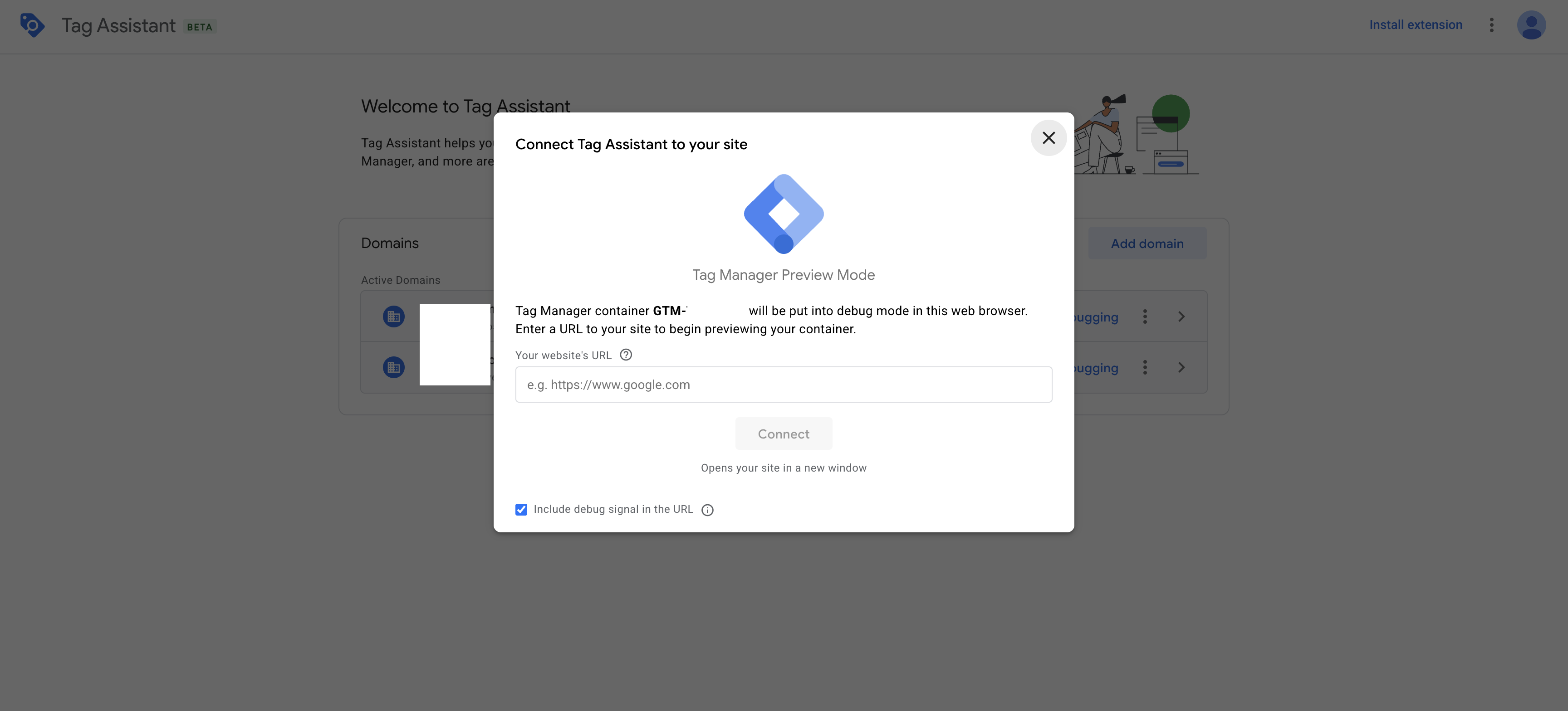
3. Enter Website URL
- In the Tag Assistant interface, enter the URL of the website where GTM is installed.
- Click Start to begin the preview session.
Example
4. Interact With Your Website
- Once the Tag Assistant redirects you to your website, perform the actions that would trigger the Zeotap Collect Tag.
- Example: Navigate to different pages, perform a login, or trigger any configured custom events.
5. Inspect Data in Developer Tools
- Right-click on the website and choose Inspect to open Chrome DevTools.
- Navigate to the Console tab.
- Look for the
dataLayeroutput and check if the relevant event names (e.g.,Login event) are logged.
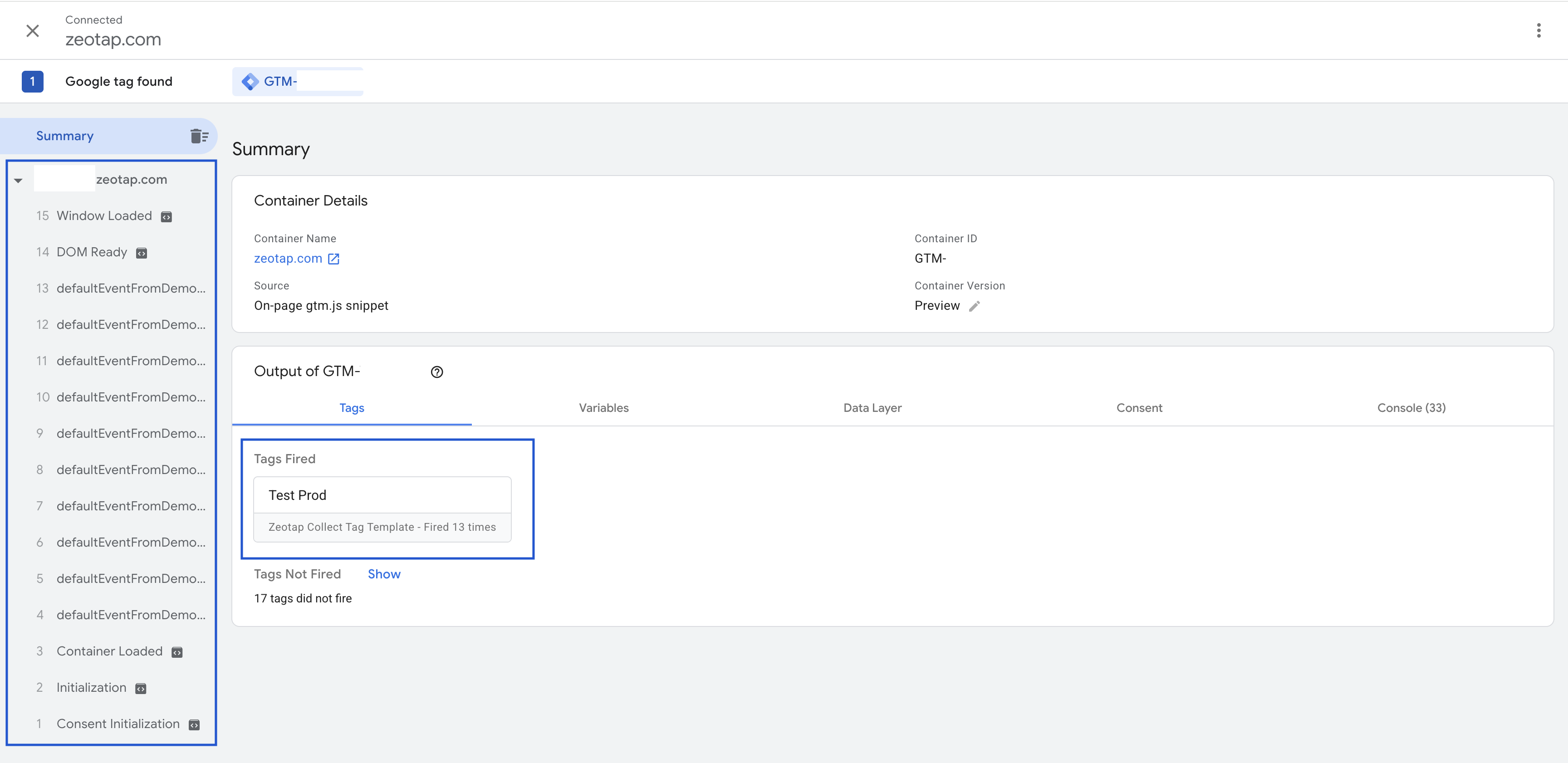
6. Review Tag Firing in Tag Assistant
- Return to the Tag Assistant tab.
- Click Continue to proceed to the next event.
- Under the Tags Fired section, verify that the Zeotap Collect Tag appears as fired.
Summary
By completing these steps, you can confirm:
- The tag is active and configured correctly.
- It fires only for the intended events.
- Event data is being pushed to the
dataLayer.
This process helps ensure that the Zeotap Collect Tag is functioning properly before publishing your GTM container changes to production. If you need to make any adjustments, you can go back to the configuration or trigger setup steps.